 VitaLinks
Guide › Your account and data
Your account and data
Your entries are yours. Here’s where they’re stored, how to take them with you and how to delete them.
1. Where your data is stored
- Without an account: everything stays on that device, in the app itself or in your browser. If you clear your browser data or uninstall the app, it’s lost.
- With an account: it’s also stored in the cloud, tied to your account, so it can sync across your devices.
When the app estimates a food, its nutrition values (calories, protein…) may be added to a shared food bank so other people don’t have to estimate it again. Your identity and what you eat never go there. Your personalized meals aren’t shared.
The full detail is in the Privacy policy.
2. Sync your devices
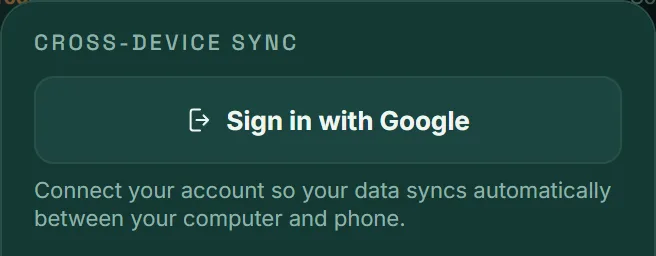
- Open Settings and scroll down to Cross-device sync.
- Tap Sign in with Google (on iPhone and iPad, Sign in with Apple too).
- Do the same, with the same account, on your other devices.
From then on, what you log on one appears on the others. In that same section you’ll see Last synced: with the time, and the Sign out button.
If something goes wrong: when sync reports an error, the Force pull from cloud button appears. It replaces that device’s data with the cloud’s, so only use it if you don’t mind losing what’s on that device.
3. Make a backup
You can download all your data as a file, whether or not you have an account.
- Tap Export, at the end of the tab strip.
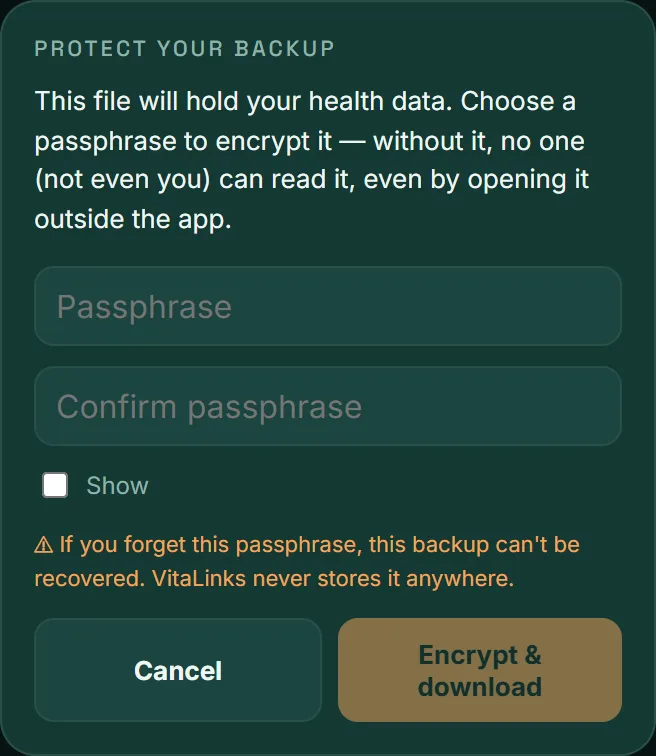
- Choose a passphrase of at least 8 characters and type it twice.
- Tap Encrypt & download. The file is saved to your device.
Restoring a backup
- Tap Import and choose the file.
- Type the passphrase and tap Decrypt & import.
Keep the passphrase safe. The file is encrypted with it and VitaLinks doesn’t store it anywhere. If you forget it, that backup can’t be opened.
4. Write to us
If something isn’t working or you have an idea, the quickest way is from inside the app.
- Open Settings and scroll down to Send feedback.
- Describe what you saw and tap Send feedback.
Your message reaches us with the app version and the screen you were on, so we can look into it. You need to be signed in.
Prefer email? Write to vitalinks.app@gmail.com.
5. Delete your account
You can delete your account and all your data yourself, without asking anyone.
- While signed in, open Settings and scroll to the bottom.
- Tap Delete my account.
- Type DELETE to confirm and tap Permanently delete.
Your account and all your cloud data are deleted: meals, exercise, blood pressure, medications, body composition, weight, sleep, water and imported data. What’s stored on that device is cleared too.
It can’t be undone. If you want to keep anything, make a backup with Export first. And if you have VitaLinks Plus, cancel the subscription in your store: deleting the account doesn’t cancel it.
More details in Delete your account and data.
Frequently asked questions
I forgot my backup passphrase
There’s no way to recover it: the file is encrypted with that passphrase and we don’t have it. If your data is still in the app, export a new backup with a different passphrase.
Who can see my health data?
Only you, with your account. We don’t sell it or use it for advertising. The details are in the Privacy policy.
I changed phones and didn’t have an account
If you still have the old phone, export a backup there and import it on the new one. Or sign in on the old one to upload your data, then on the new one.
Does my API key sync?
No. If you added your own API key in Settings, it’s stored only on that device and is never sent to your account or included in sync.