 VitaLinks
Guide › VitaLinks Plus
VitaLinks Plus
Daily logging is free and will stay that way. Plus adds the artificial intelligence features, ready to use.
1. What it includes
With Plus, the AI features work with nothing to set up, up to 15 estimates a day:
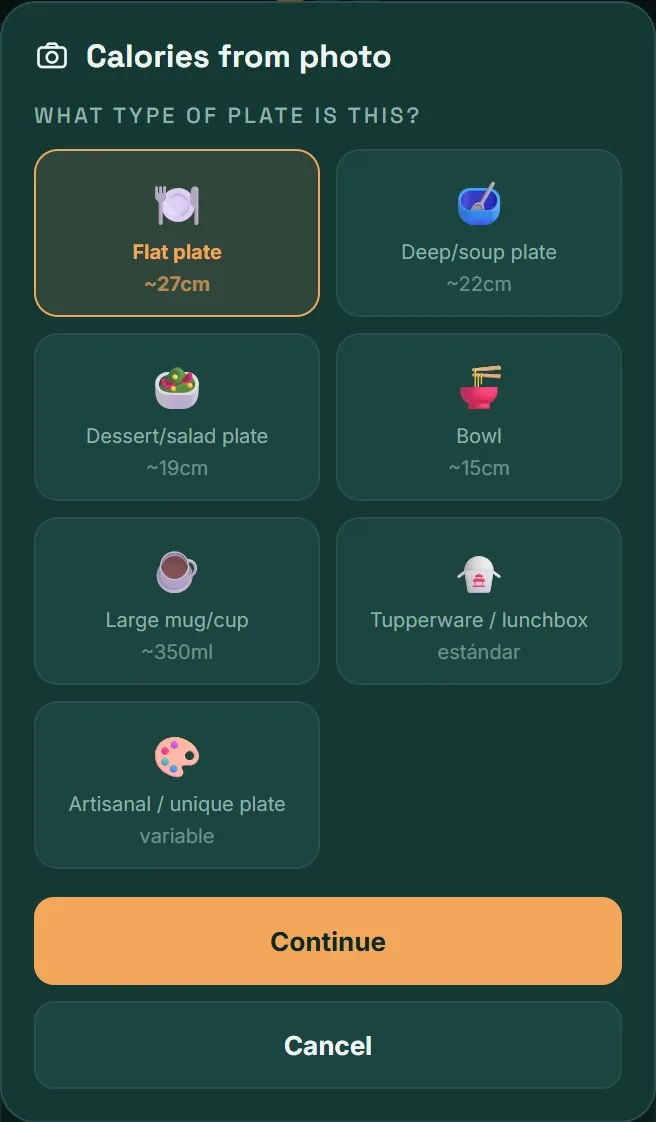
- Calories from a photo: you take a photo of your plate and the app estimates what’s on it and what it adds up to.
- Estimate from text: you type “two scrambled eggs on toast” and the app fills in calories and nutrients.
- Today’s insight: a short summary of your day, written from your entries.
Everything else is free, with or without Plus: logging meals, exercise, water, sleep, blood pressure and medications, barcodes, the charts, the PDF report and syncing across devices.
They’re estimates. The values AI generates are approximate and are not medical advice. You review and adjust before saving.
2. How to subscribe
You subscribe from the mobile app, with your Google Play or Apple account.
- In the mobile app, open Settings and scroll down to VitaLinks Plus.
- Tap Upgrade to Plus.
- Choose the Yearly or Monthly plan. The price of each is shown there, in your currency.
- Confirm the purchase in your store’s window.
The subscription renews by itself at the end of each period, until you cancel it.
3. How to use it
- Calories from a photo: in Meals, tap Photo (beta). The steps are in Logging meals.
- Estimate from text: in Meals, type what you ate and tap Estimate.
- Today’s insight: on the Today screen, tap Generate insight. If you log more during the day, use Regenerate to update it.
If you reach the daily limit, the app tells you and estimates come back the next day. In the meantime you can keep logging by hand.
4. Manage or cancel
Your store manages the subscription, and that’s where you cancel it.
- From the app: Settings → VitaLinks Plus → Manage subscription. You’ll see the renewal date right there.
- On Android: Google Play → your profile → Payments and subscriptions → Subscriptions.
- On iPhone and iPad: Settings → your name → Subscriptions.
When you cancel, you keep Plus until the end of the period you’ve already paid for. After that, the app goes back to the free plan and you keep all your entries.
Important: deleting the app or deleting your VitaLinks account does not cancel the subscription. Always cancel it in the store.
5. If you change phones
- Install VitaLinks on the new phone, with the same Google Play or Apple account you bought with.
- Open Settings → VitaLinks Plus → Upgrade to Plus.
- Tap Restore purchases.
You aren’t charged again: the app only checks that you already have an active subscription.
Frequently asked questions
How much does it cost?
The price depends on your country and is shown in the app before you confirm, in Settings → VitaLinks Plus → Upgrade to Plus. There’s a monthly plan and a yearly one.
Can I subscribe from the browser?
No. You subscribe to Plus in the mobile app, through Google Play or the App Store.
The app says my subscription isn’t active
Open Settings → VitaLinks Plus and tap Restore purchases. Also check you’re using the same store account you bought with. If nothing changes, write to us from Settings → Send feedback.
What happens if I reach 15 estimates in a day?
The app tells you and AI estimates come back the next day. Manual logging and barcodes keep working as normal.