 VitaLinks
Guide › Personalize the app
Personalize the app
Almost everything is adjusted from one place: Settings, at the end of the tab strip.
1. Your daily goals
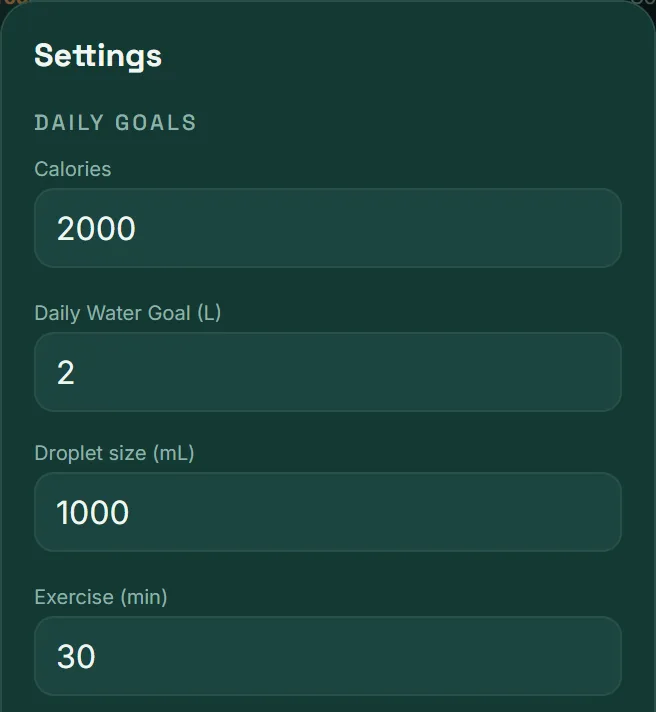
- Open Settings. The first thing you’ll see is Daily goals.
- Change what you like: Calories, Daily Water Goal (L) and Exercise (min).
- Scroll to the bottom and tap Save.
Droplet size (mL) decides how much water each droplet on the Today screen adds. Set it to what your glass or bottle holds: 250, 330, 500…
Not sure what calorie goal to set? In the Forecast tab, the app works out a recommended goal from your height, age, weight and activity. Apply it with Use this goal.
2. Language and appearance
- Language: tap ES or EN, top right on any screen.
- Light or dark mode: in Settings → Appearance, choose System, Light or Dark. With “System”, the app follows your phone or computer.
The app works in kilograms, litres and kilocalories.
3. The tabs you see
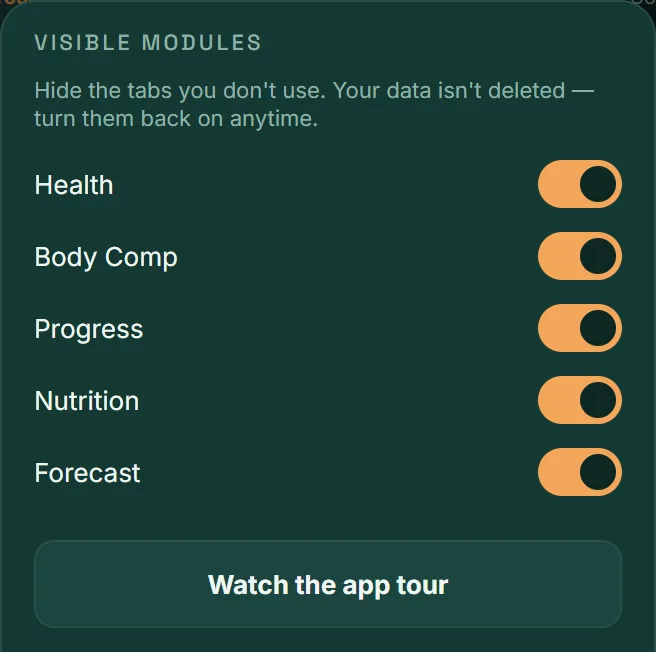
In Settings → Visible modules you can turn off the tabs you don’t use: Health, Body Comp, Progress, Nutrition and Forecast.
- The change applies straight away.
- Your data isn’t deleted: turn the tab back on and it’s still there.
- Today, Meals, Exercise and Calendar are always visible.
4. Reminders and alerts
- Daily reminder (mobile app): in Settings, turn it on and choose the time. You get a nudge only if you haven’t logged anything yet that day.
- Medication Alerts: the switch is in the Health tab. It notifies you of each dose, but only while you have that tab open.
The first time, your phone will ask for permission to show notifications. If you declined, turn it on in your system settings.
5. The tour and invitations
- Watch the app tour: replays the first-day introduction, in case you skipped it.
- User guide: opens this guide from inside the app.
- Invite a friend: Share invite creates a link to send to whoever you like.
Frequently asked questions
I hid a tab. Have I lost its data?
No. Hiding a tab only takes it out of view. Go back to Settings → Visible modules, turn it on and everything will still be there.
Can I use pounds or ounces?
Not for now. The app works in kilograms, litres and kilocalories.
I’m not getting the daily reminder
Check that it’s turned on in Settings and that your phone allows notifications from VitaLinks. Remember it stays quiet if you’ve already logged something that day.
Do my settings carry over to my other devices?
Yes, if you’re signed in. Your goals and preferences sync with your account, just like your entries.